Choose a Python version for your project, identify the interpreter actually being run, then create a virtual environment. The following steps cover Python 3.14; screenshots of the standalone installer show the 3.12/3.13 interface.
Windows: start with Python Install Manager
Official guidance now recommends obtaining Python Install Manager from python.org or Microsoft Store. Distinguish it from the older standalone .exe installer and legacy py launcher; consult the Windows documentation if their commands conflict.
After installing the manager, check its commands and install the required version. These examples select 3.14; check your project’s dependency compatibility first:
| |
The manager downloads the runtime. Check the official Windows support requirements for Python 3.14 rather than assuming that historical platform support still applies.
Existing standalone 3.12/3.13 installers
You may still encounter the older interface. Start with a per-user installation for ordinary development; install for all users with elevated privileges only when that scope is needed. The py launcher selects versions, but does not make python resolve identically in every terminal.
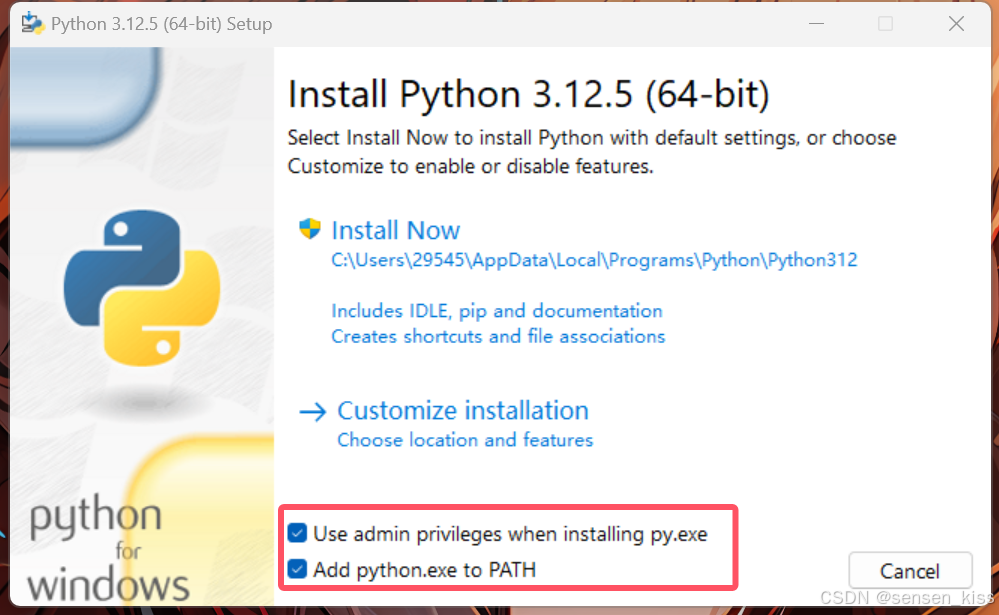
Keep pip available. Debug symbols, debug binaries, and the full standard-library test suite are optional components. Choose PATH changes and file associations according to the interpreters already installed rather than selecting every option.
For a silent installation, use the exact filename of an installer you have already downloaded and checked. These older-installer options demonstrate a per-user installation:
| |
The filename demonstrates syntax; it does not recommend 3.13.7 as the latest patch release. The 3.14 documentation marks the full installer as deprecated, so evaluate the install manager first for new environments.
macOS
Official installer
Download a package compatible with your macOS version and processor from Python for macOS, then read its platform and license information.
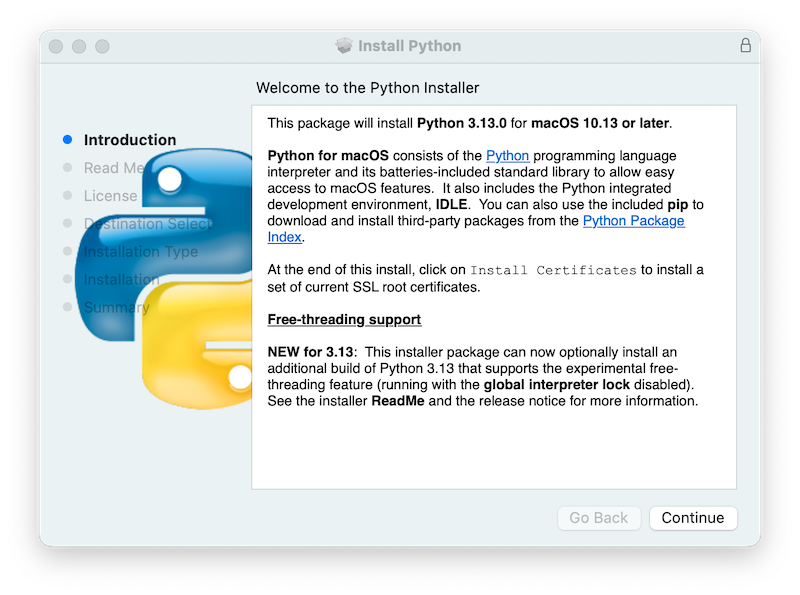
After installation, follow the current installer’s instructions for Install Certificates.command in the matching version directory. It downloads certificate components for that Python installation. Do not copy an outdated version directory from a screenshot.
| |
Do not modify or remove Apple’s /usr/bin/python3. An official Python installation can coexist with the interpreter used by Apple’s developer tools.
If you already use Homebrew
Check the current Homebrew requirements, including supported macOS, hardware, and Xcode Command Line Tools. They should not be summarized as a requirement to install system Python first.
In a terminal where Homebrew is configured:
| |
If Homebrew is absent, follow its official installation guidance, downloading and reviewing the installer before execution. Diagnose terminal configuration before forcing link replacements.
Linux: use distribution packages
Debian / Ubuntu
| |
Installing Python does not require upgrading the entire machine, recursively changing ownership of ~/.local, or deleting APT lock files. If a lock is held, identify the active package-management task, wait for it to finish, or follow the distribution’s recovery guidance.
Fedora
| |
RHEL and other distributions have their own package versions and repository policies. Follow their documentation, preserve the system Python, and do not default to sudo pip for project dependencies.
Create a virtual environment per project
Run these commands from the project directory. The Windows example explicitly selects an installed 3.14 runtime:
| |
macOS / Linux:
| |
Calling the environment’s interpreter directly avoids changing PowerShell execution policy just to use the example. Use that same interpreter with -m pip when installing dependencies.
Verification and common problems
- Record the OS,
--version,sys.executable, andpip --version; confirm that they identify the intended environment. - If
pythonopens the Store or selects the wrong version, check application execution aliases,py list, and PATH. - For
externally-managed-environment, create a project virtual environment instead of bypassing distribution protections. - If
venvorensurepipis missing, install the distribution’s matching virtual-environment component and recreate the environment.